How it works
One town, many projects, a team of agents
What happens from the moment you connect your first AI account to the moment you merge an agent’s branch.
On this page
1. Connect your AI accounts
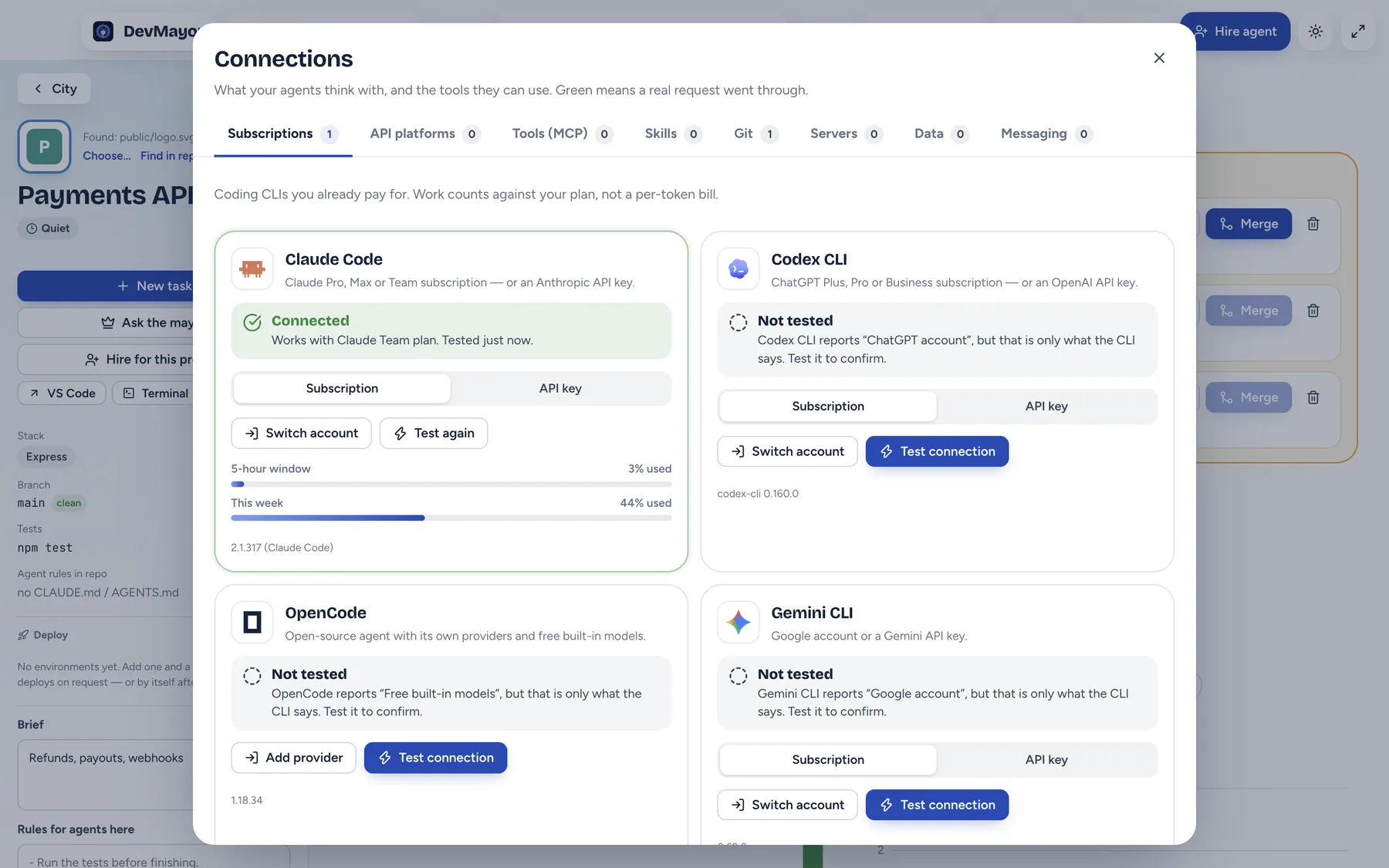
Agents think with the coding CLIs you already use: Claude Code, Codex CLI, Gemini CLI and OpenCode. DevMayor spawns the official CLI in your project folder and reads its JSON stream — it never handles your login. Work counts against your subscription, not a per-token bill.
Prefer to pay per token? Add a key for any of about 30 API platforms — OpenRouter, DeepSeek, Groq, Mistral, a local Ollama and more. Those agents run on the OpenCode engine with the provider you chose.
A connection shows Connected only after a real request went through. What a CLI says about its own login is shown as “Not tested”, because an expired login can still report itself as signed in.
2. Projects are buildings
Add a project from a local folder, a git URL, or your GitHub, GitLab or Bitbucket repositories. It is built on a free plot and keeps that plot. DevMayor finds the logo in the repo and puts it on the roof; the name sign stands on the lawn.
Each project has a Brief and Rules for agents. Both go into every prompt, so you write “run the tests before finishing” once, not in every task.
3. Hire agents
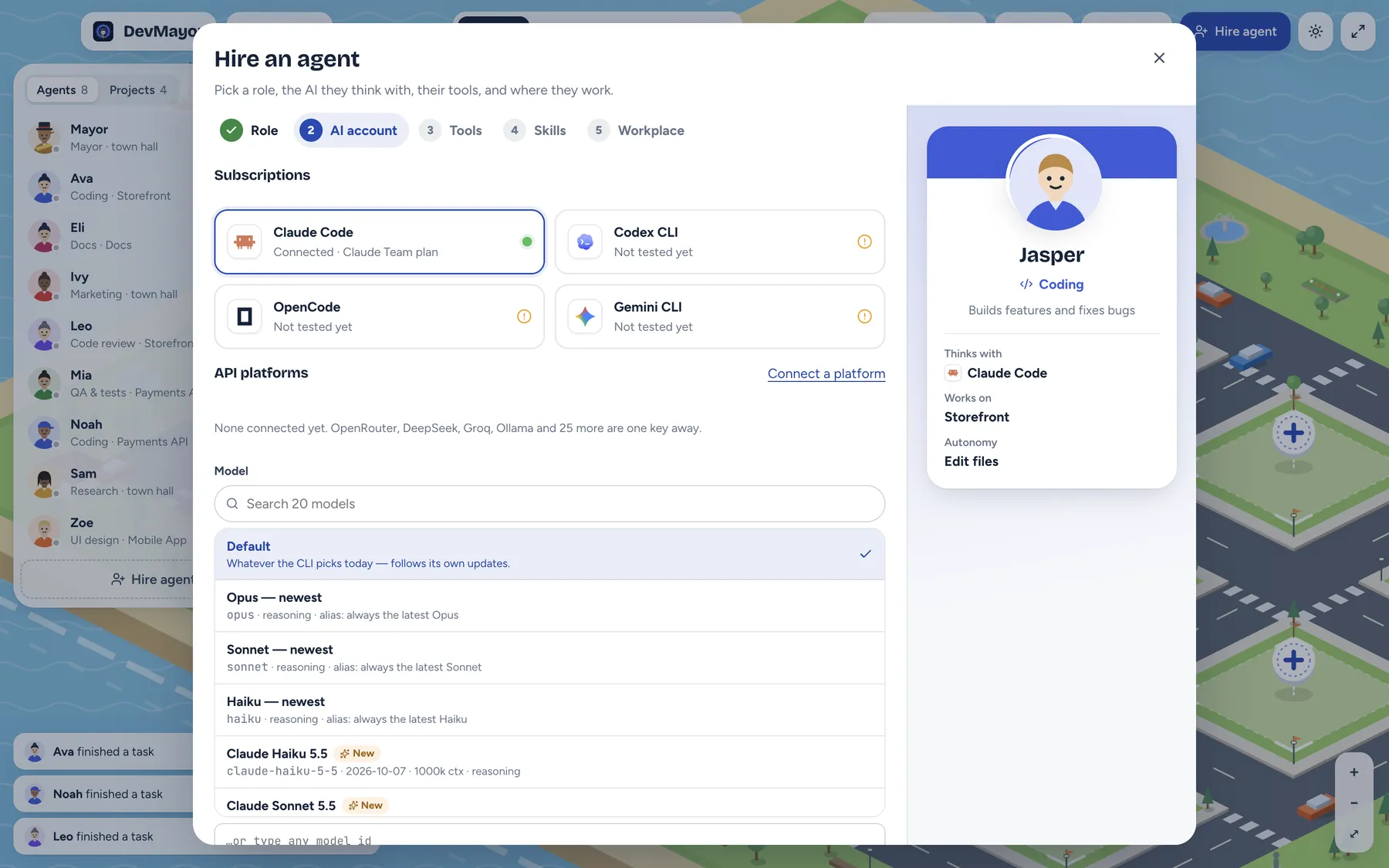
The hire wizard has five steps:
- Role — coding, code review, QA & tests, DevOps, release engineer, docs, UI design, marketing, research or support.
- AI account — which CLI or API platform they think with, and the model.
- Tools — the MCP servers they may use.
- Skills — playbooks they follow; a scanned starter set is picked for the role.
- Workplace — the project, the autonomy level, and whether each task gets its own branch.
4. Give them tasks
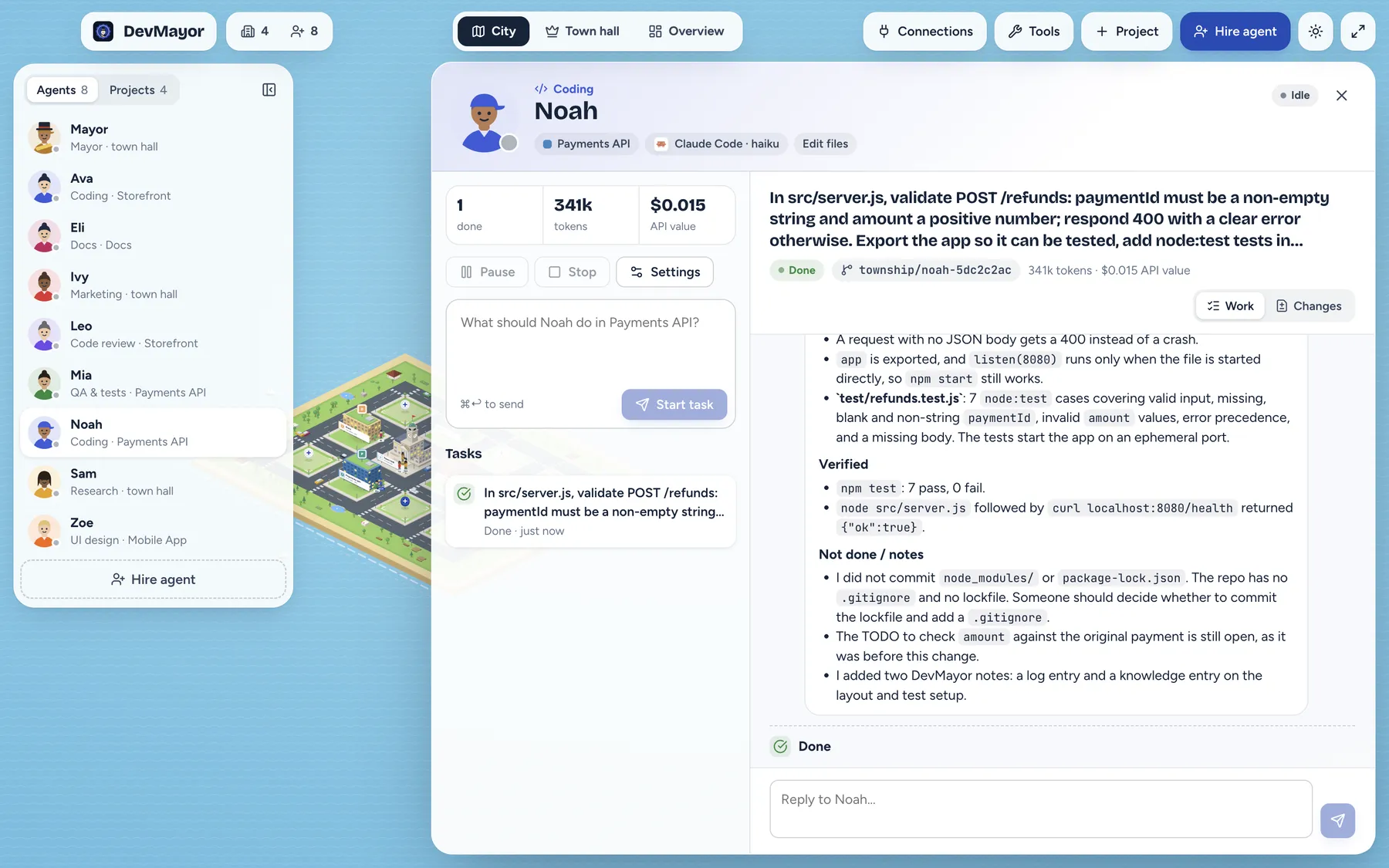
Type what you want in plain words. Tasks queue per agent; you can pause (the process is really stopped), resume or stop at any time. The timeline shows the plan, every tool call and command, files touched and the final report — what changed, what was verified and what was not.
Need a change? Reply in the same thread. The follow-up resumes the same CLI session, so the agent remembers what it did.
5. Autonomy and approvals
| Level | What the agent may do | What comes to you |
|---|---|---|
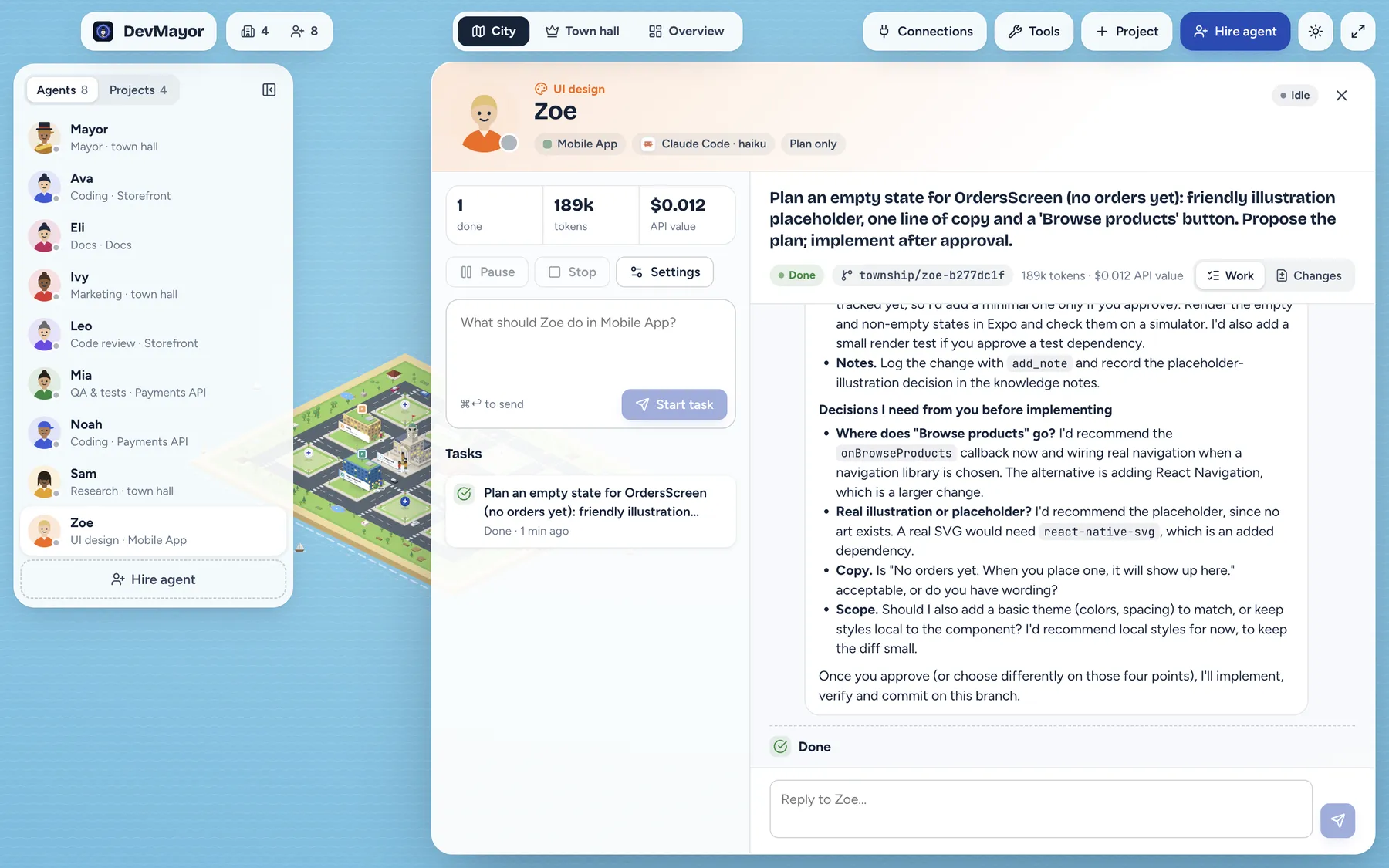
| Plan | Read the code and propose | The plan, with “Approve plan and implement” |
| Edit | Edit files, run safe read and test commands | Other commands and tools that change data |
| Full | Anything | Nothing — use for agents you trust |
An approval is a card with the exact command or tool call. Approving lets the agent continue in the same session with that permission; declining tells it no and it carries on without. Approvals also reach you on Telegram or Discord.
6. Branches, diffs and merging
With “own branch per task”, each task runs in a git worktree on its own branch, so two agents never trip over each other. The Changes tab shows the diff; commit, merge or discard from there, or open the worktree in VS Code or Terminal.
Agents are not allowed to git push. Pushing is a button — and if you configured a deploy environment, “deploy after I merge” pushes and deploys for you.
7. The mayor and the board
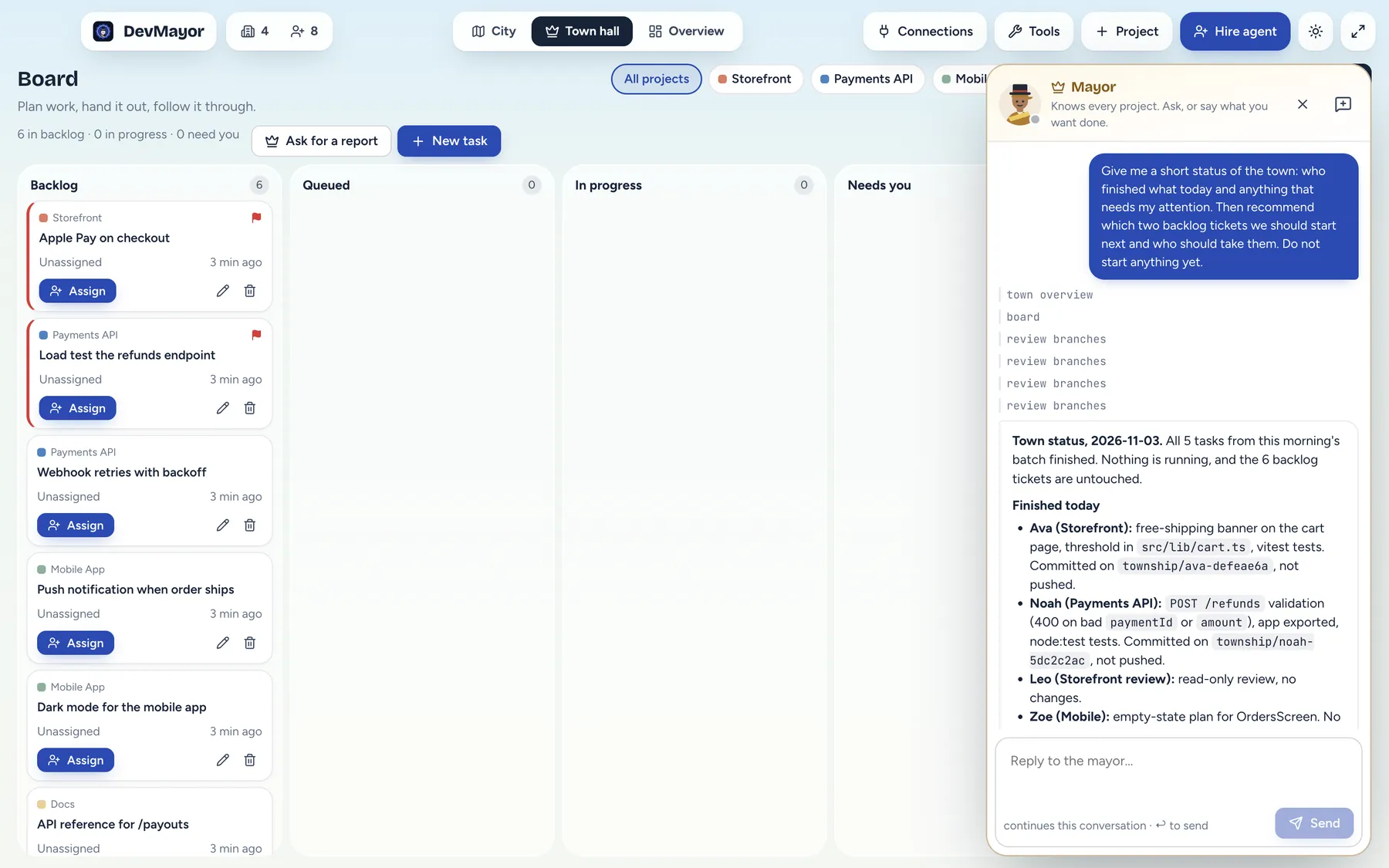
The mayor is a built-in agent in the town hall. It sees a fresh snapshot of the whole town every turn and can read every project. It plans and delegates: writes tickets, starts them, follows up, pauses or moves agents, hires when nobody fits and deploys a project when you ask.
By design it cannot approve agents’ requests, merge, commit or push, or touch your servers, connections and keys. Those stay with you.
8. Tools, skills and memory
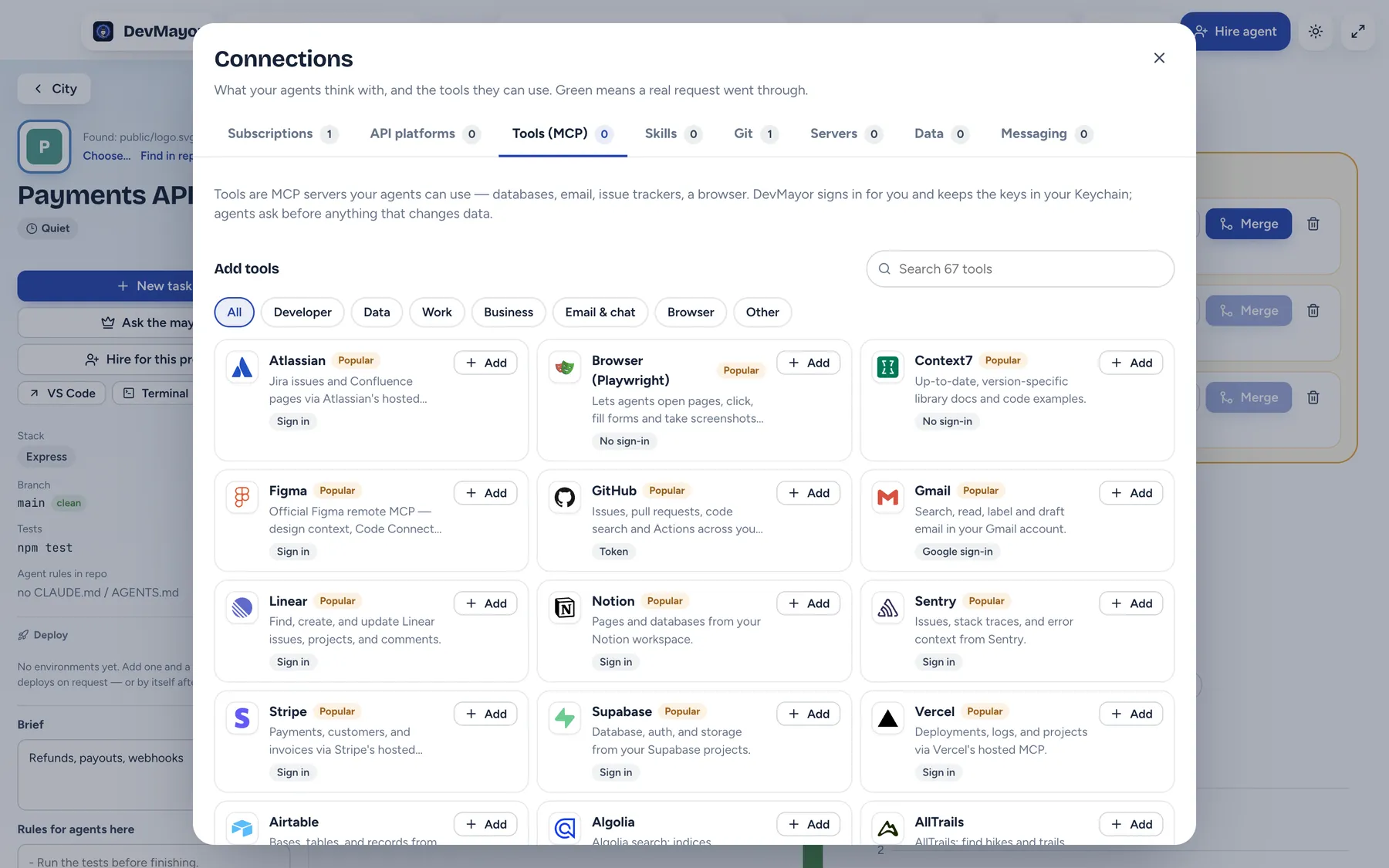
Tools are MCP servers: 67 in the catalogue, from GitHub and Linear to Stripe, Supabase and a Playwright browser. DevMayor runs the sign-in (OAuth with PKCE where the service supports it) and keeps tokens in the Keychain; agents receive them only in their process environment.
Skills come from the CodexGuild registry. Every file is fetched byte for byte and checked against its sha256 before install, and only skills that passed or were flagged for review are offered.
Memory is built in: shared project notes that every agent reads and adds to, and a private memory per agent.
9. Town hall and project pages
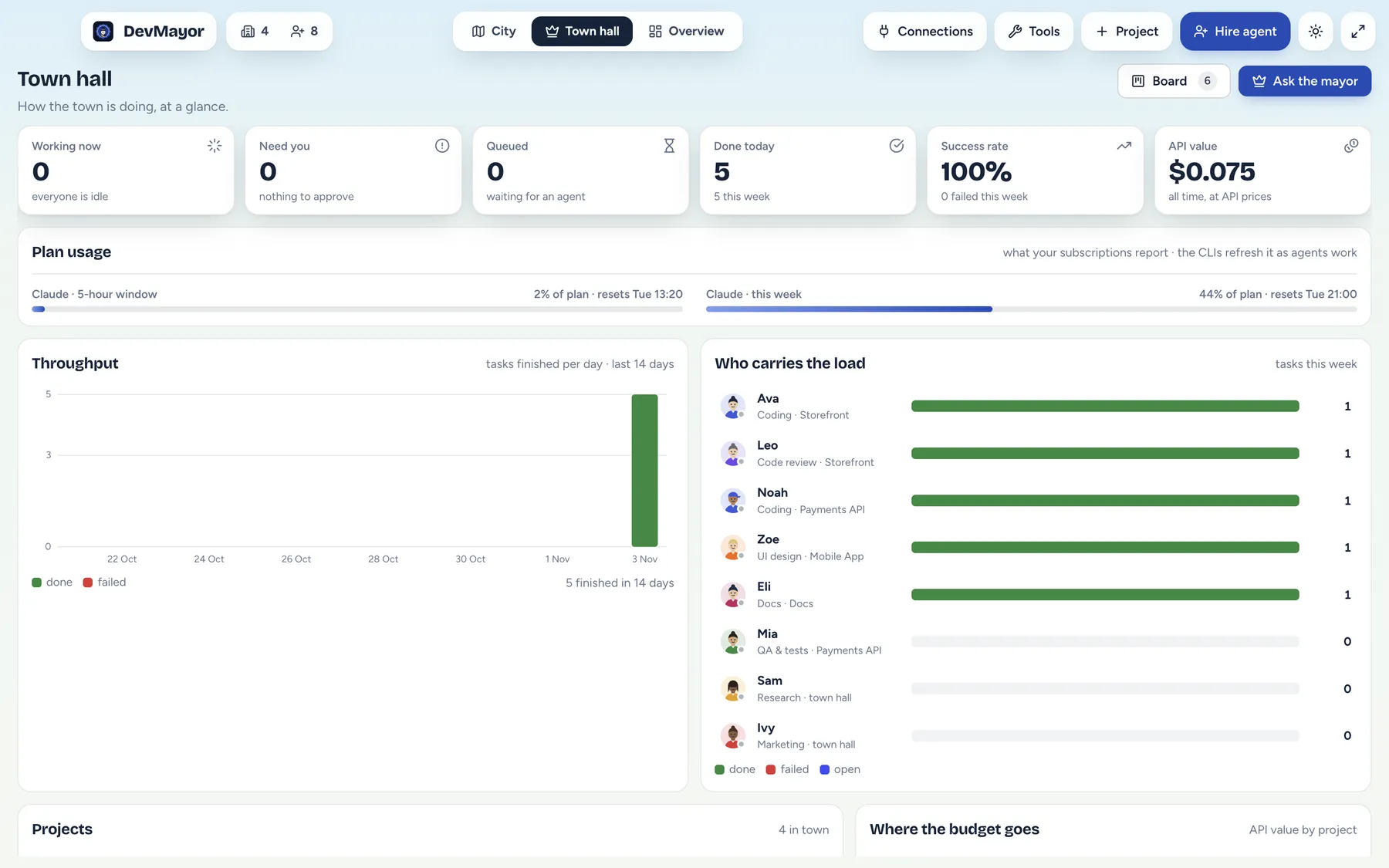
The town hall opens on a dashboard: who is working, what needs you, tasks done, success rate, the API value of the work and your plan usage. Each project has its own page with branches to review, the team, charts, notes, deploys and signals from Sentry, Search Console, Google Analytics, GitHub CI, PageSpeed and npm.
10. When you are away
The runner is a separate process. Close the window and agents keep working; open it again and the town is where you left it. Pair a Telegram or Discord bot to talk to the mayor, get results and approve requests from your phone.
Ready to build your town?
DevMayor is in early access for macOS on Apple silicon.